
IPInfo Lite
IPInfo Lite (Geolocation)
IPInfo Lite provides free IP geolocation and ASN data for IP addresses worldwide. It's the default enrichment source for getting started with geographic and network-based security analysis.
Features
- Country and continent identification
- ASN and organization mapping
- Updated monthly
- Free tier with 50,000 lookups/month
- No registration required for basic CSV download
Prerequisites
- nano instance running and accessible
- Admin access to the web interface
- Internet connectivity for downloading enrichment data
Setting Up IPInfo Lite
Step 1: Find IPInfo Lite in the Marketplace
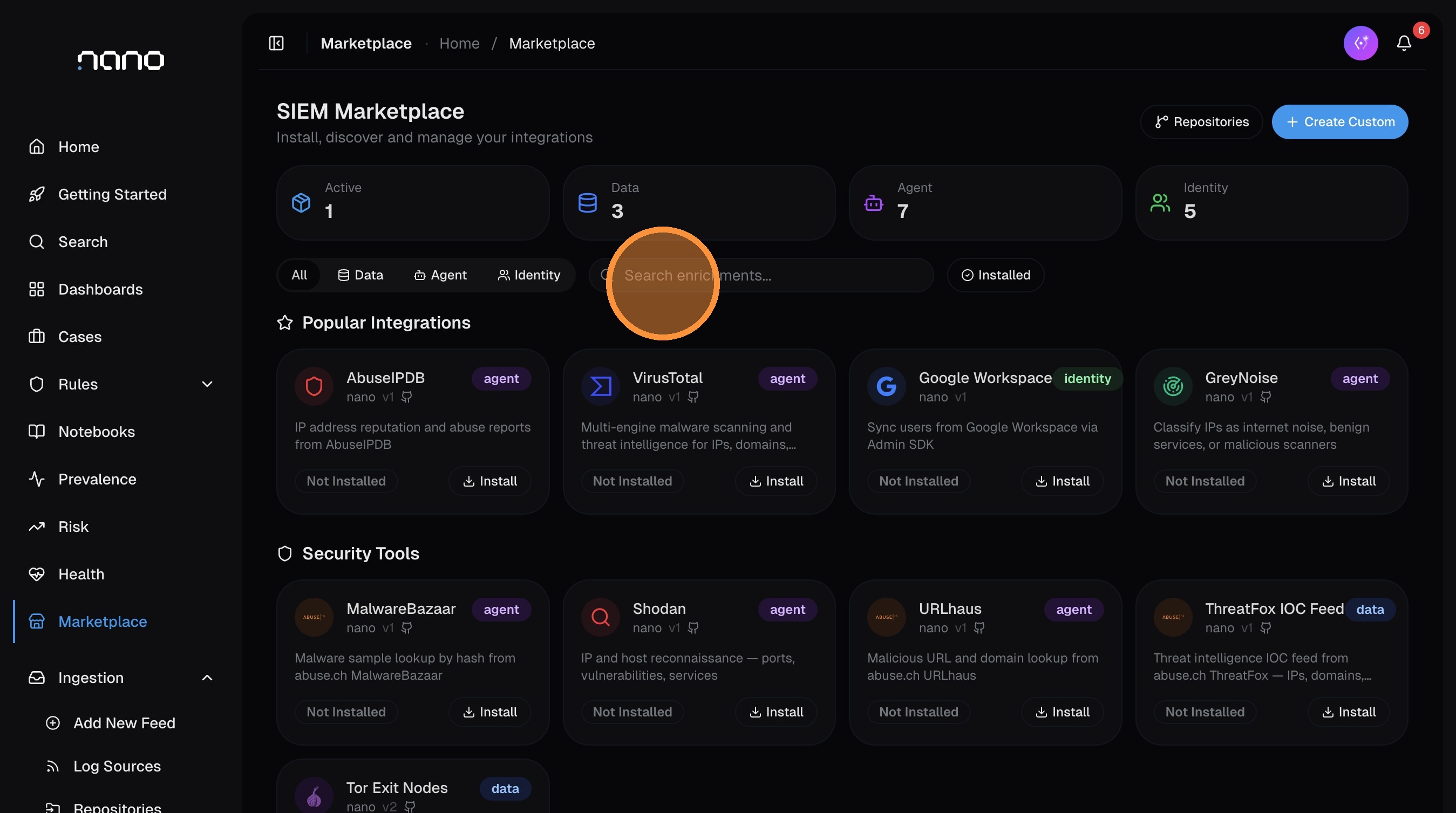
Open Marketplace from the left sidebar and search for "ipinfo":
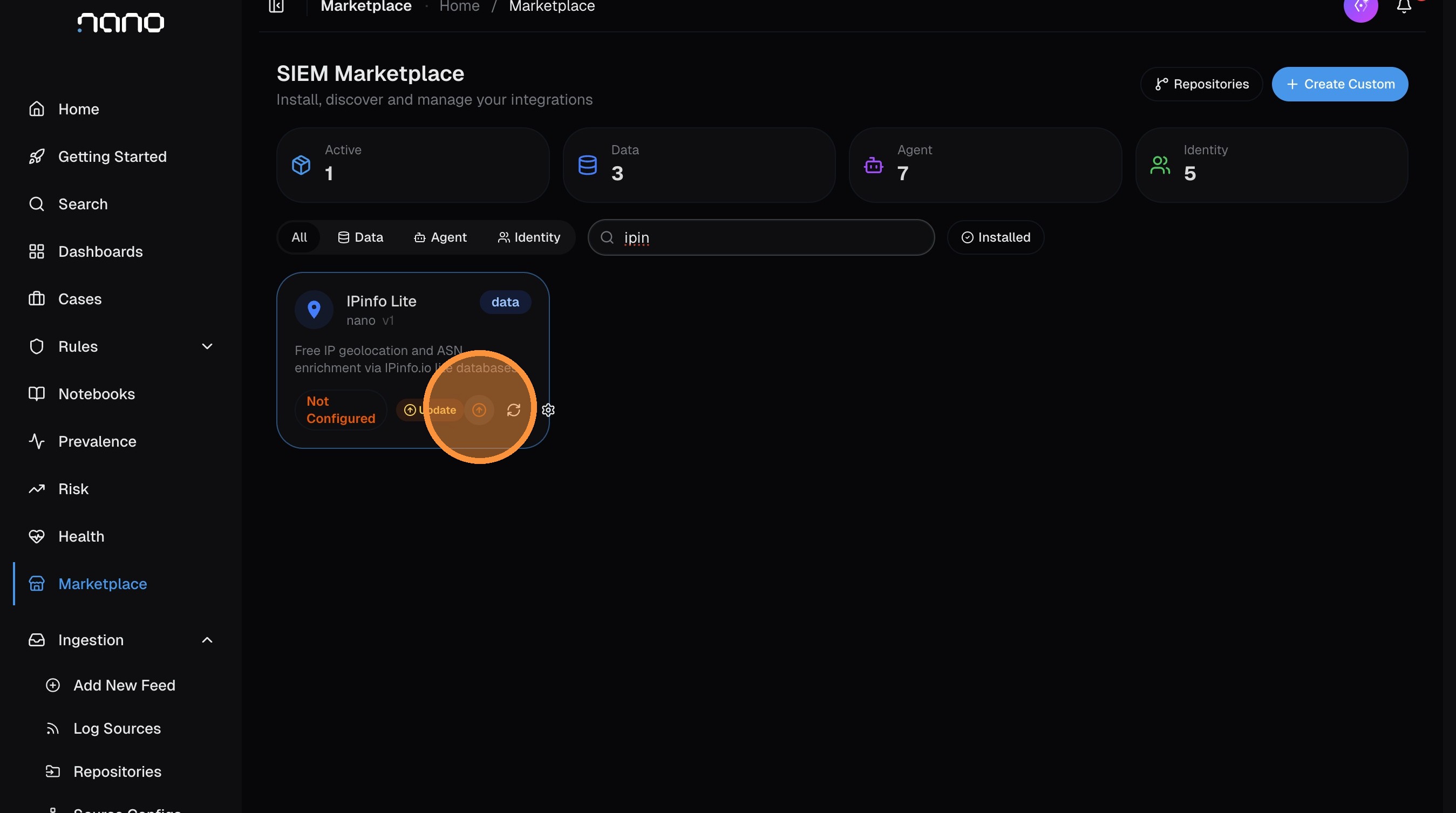
If an update is available for the enrichment, click the update icon to get the latest version:
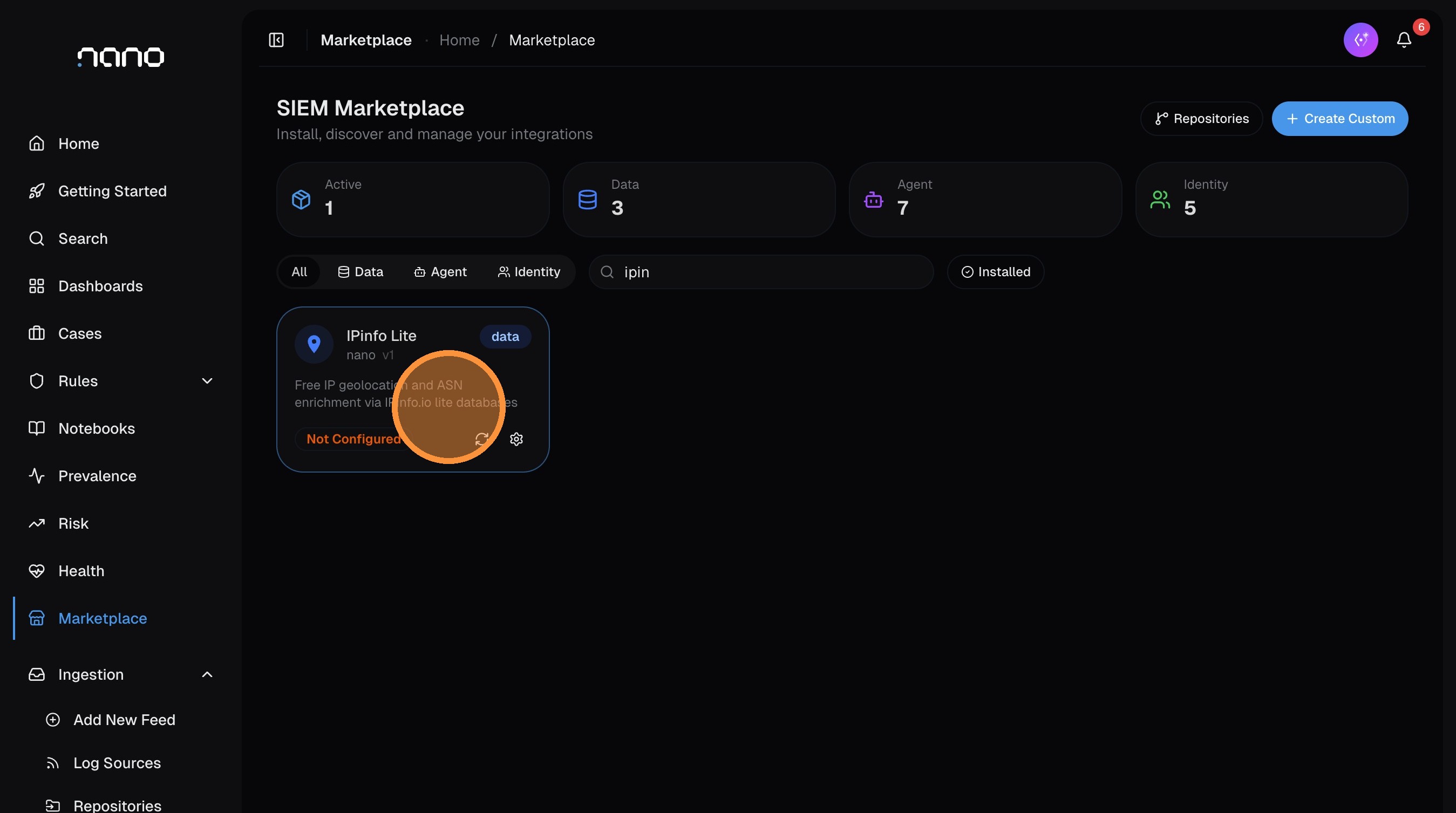
Click the IPInfo Lite card to open its configuration:
Step 2: Get Your Download URL from IPinfo
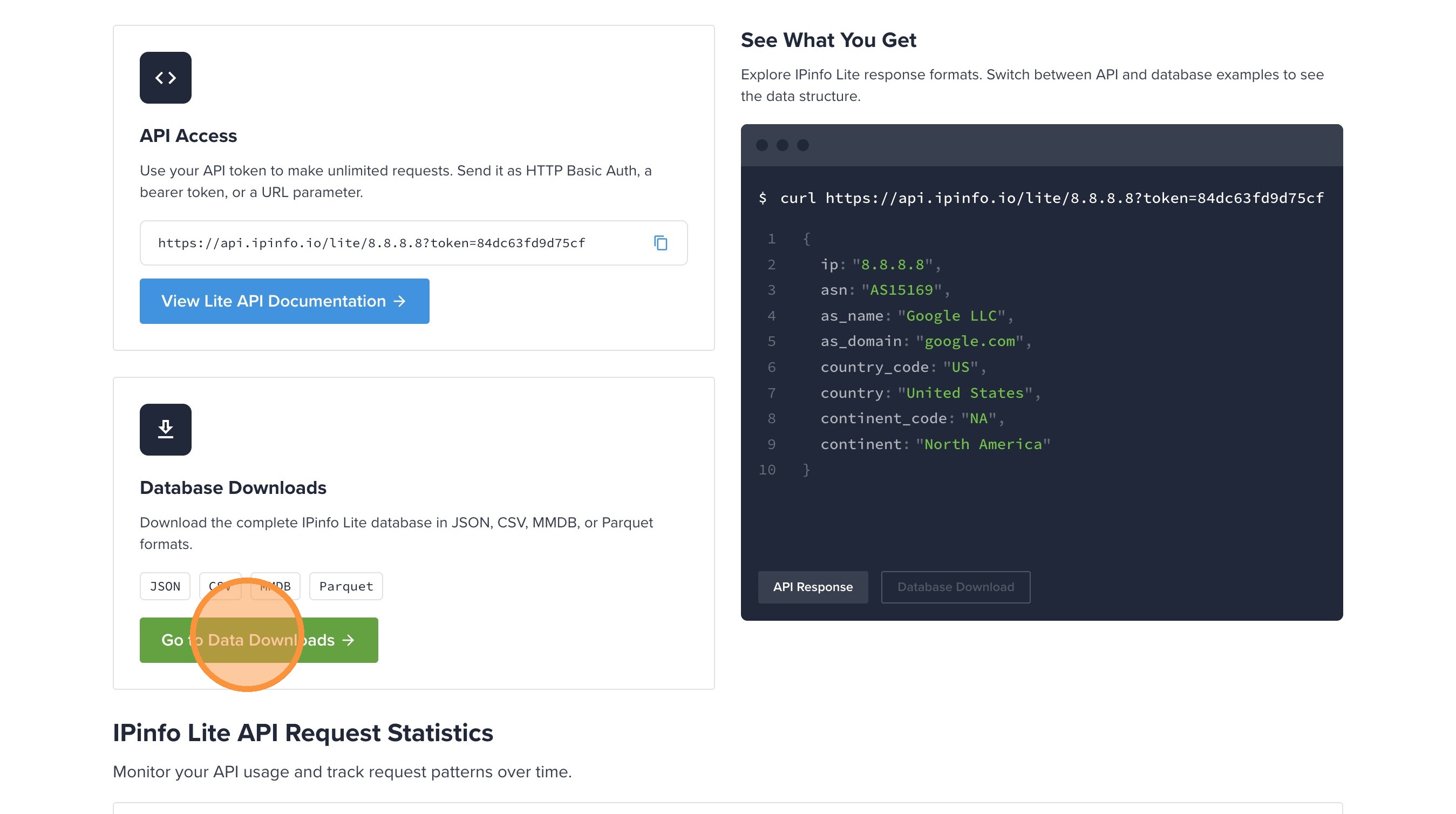
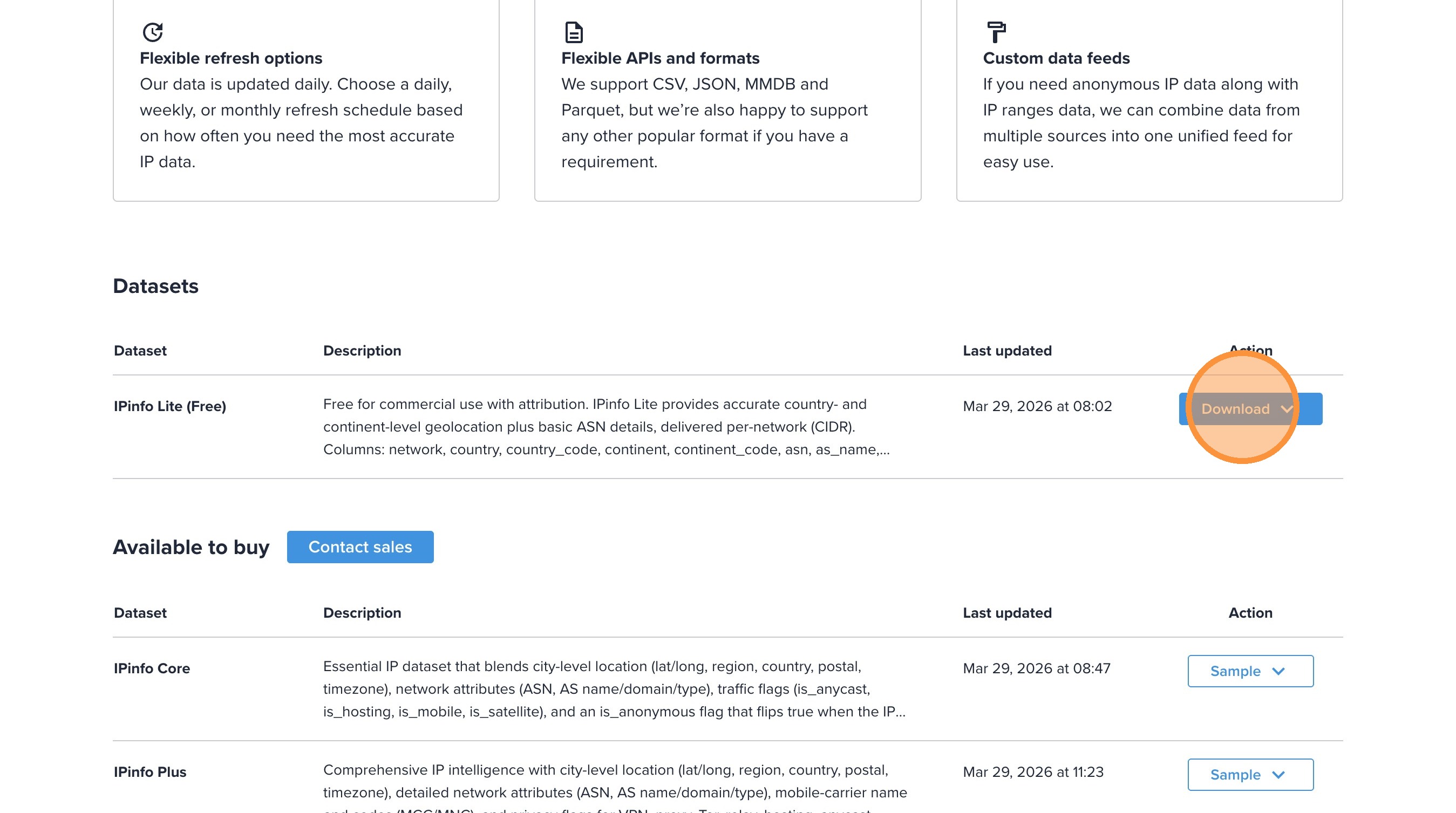
Open the IPinfo Lite dashboard and click Go to Data Downloads:
Find the IP to Country ASN database and click Download:
Right-click Download CSV and copy the link:
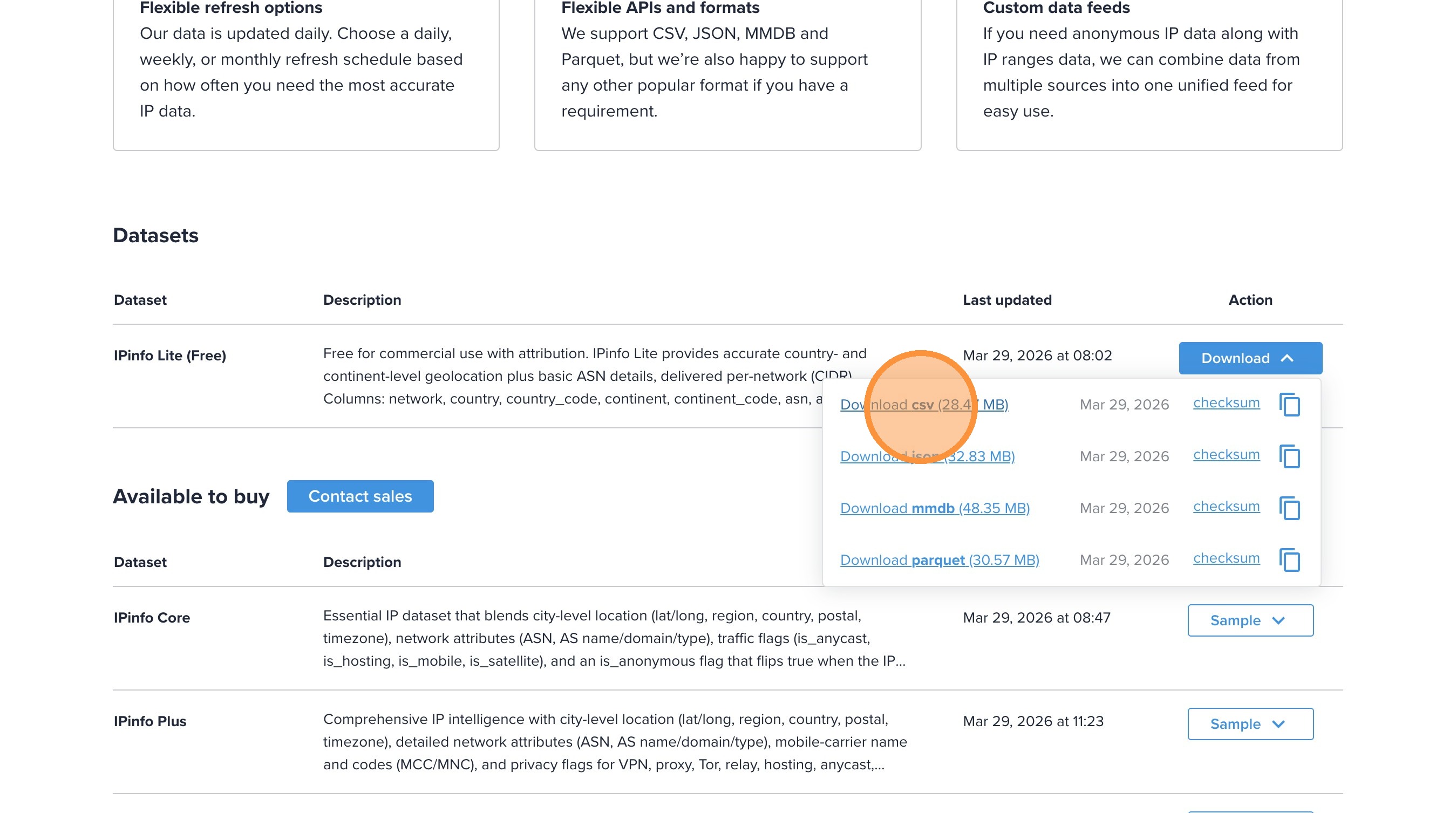
The download URL contains your unique token. Keep it secure — it provides access to download the data. The URL looks like: https://ipinfo.io/data/ipinfo_lite.csv.gz?token=YOUR_TOKEN
Step 3: Configure in nano
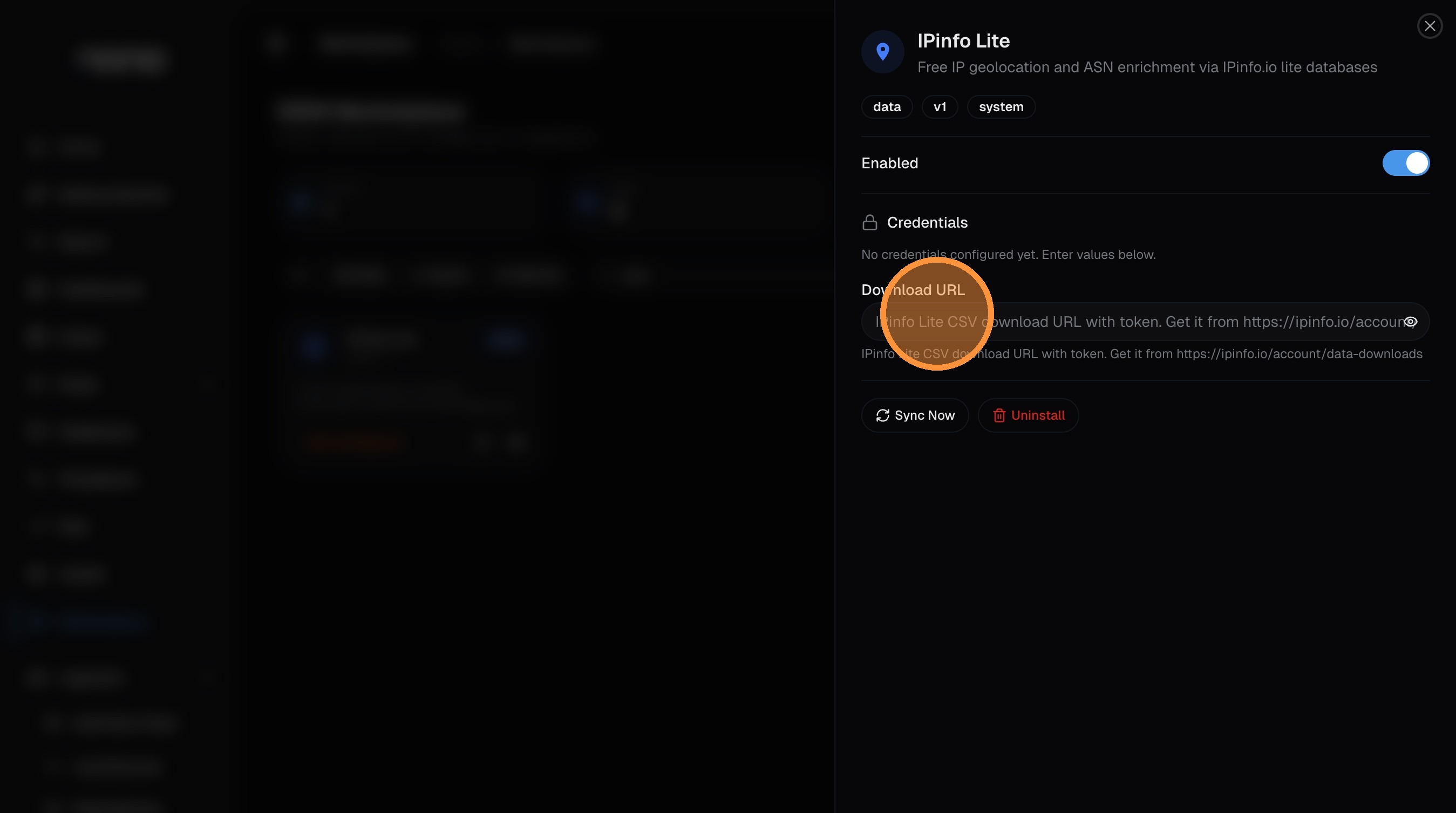
Back in nano, paste the copied URL into the Download URL field:
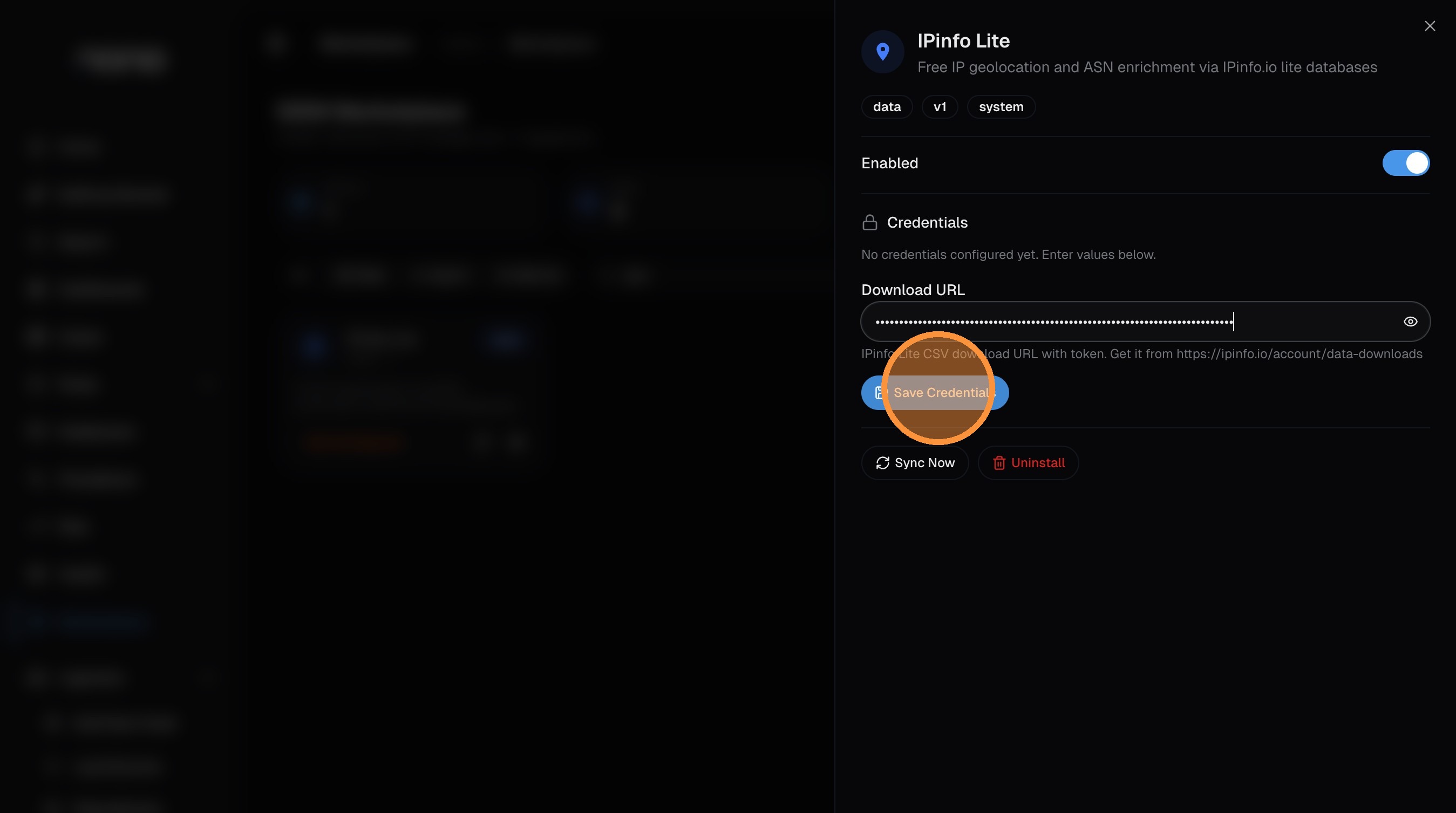
Click Save Credentials:
Step 4: Sync the Data
Click Sync Now to download and load the enrichment data. This typically takes 30-60 seconds.
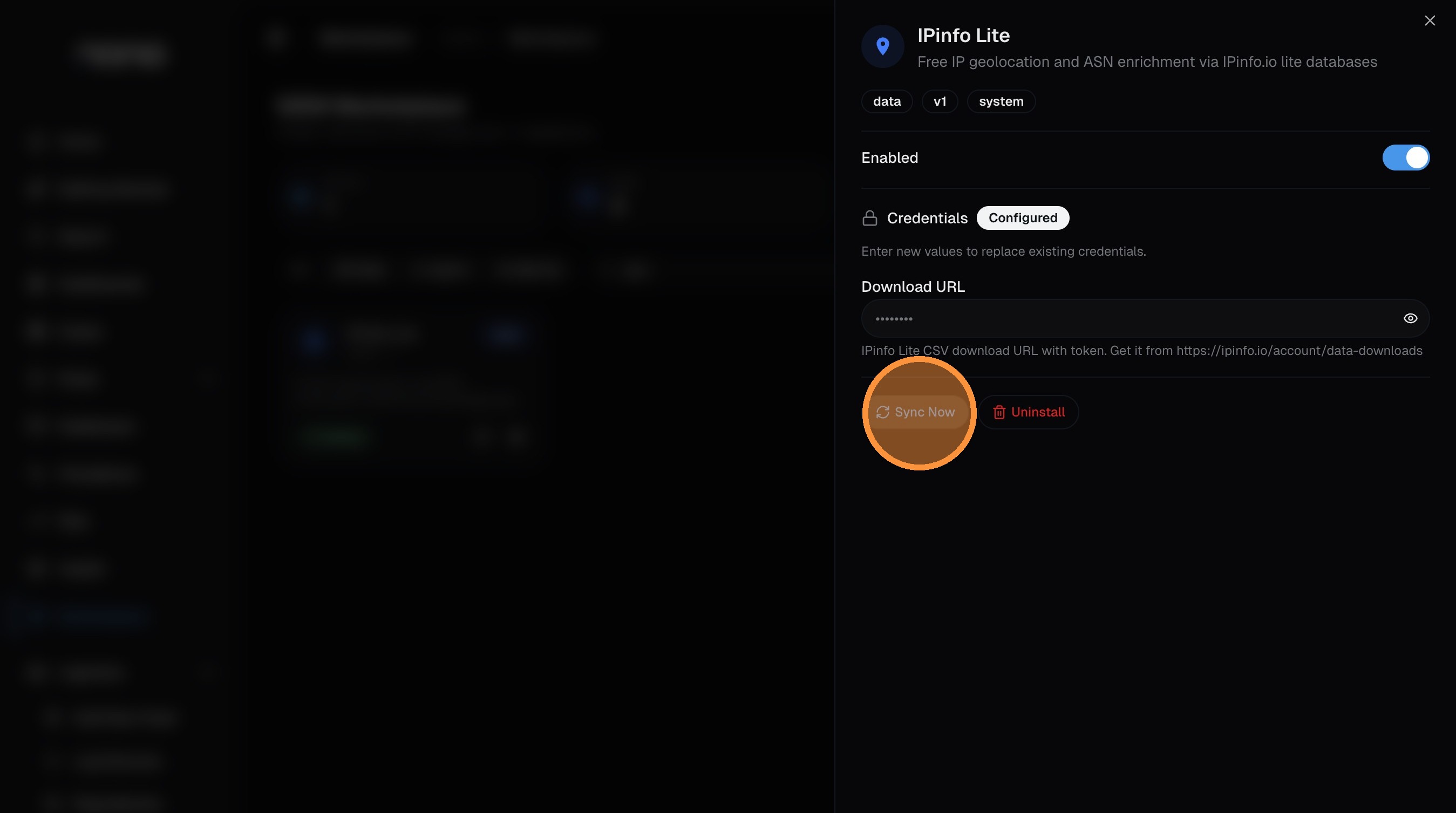
Once the sync completes, the card will show the record count (~400,000+ IP ranges) and the last sync time. The enrichment is now active — all incoming logs with IP addresses will be enriched with geolocation and ASN data automatically.
Data Fields Added
When IPInfo Lite is enabled, the following fields are added to logs:
| Field | Description | Example |
|---|---|---|
enriched_src_country / enriched_dest_country | Full country name | "United States" |
enriched_src_country_code / enriched_dest_country_code | ISO 3166-1 alpha-2 code | "US" |
enriched_src_continent / enriched_dest_continent | Continent name | "North America" |
enriched_src_continent_code / enriched_dest_continent_code | Continent code | "NA" |
enriched_src_asn / enriched_dest_asn | ASN number | "AS15169" |
enriched_src_as_name / enriched_dest_as_name | Organization name | "Google LLC" |
enriched_src_as_domain / enriched_dest_as_domain | Associated domain | "google.com" |
Example Enriched Log
{
  "timestamp": "2024-01-01T12:00:00Z",
  "src_ip": "8.8.8.8",
  "dest_ip": "192.168.1.100",
  "enriched_src_country": "United States",
  "enriched_src_country_code": "US",
  "enriched_src_continent": "North America",
  "enriched_src_continent_code": "NA",
  "enriched_src_asn": "AS15169",
  "enriched_src_as_name": "Google LLC",
  "enriched_src_as_domain": "google.com"
}
Automatic Sync Configuration
Keep your enrichment data current with automatic synchronization.
Enable Auto-Sync
-
Configure Schedule
- Open IPInfo Lite from the Marketplace
- Scroll to the Automatic Sync section
- Toggle Enable Auto-Sync
-
Set Sync Interval
- Choose from predefined intervals:
- Every 6 hours
- Every 12 hours
- Daily (24 hours) — Recommended
- Every 2 days
- Weekly
- Choose from predefined intervals:
-
Monitor Schedule
- View next scheduled sync time
- Check sync history and status
- Receive notifications on sync failures
Custom Sync Schedules
For advanced users, configure custom sync schedules using cron expressions:
# Daily at 2 AM UTC
0 2 * * *

# Every 6 hours
0 */6 * * *

# Weekly on Sundays at 3 AM
0 3 * * 0
Best Practices
- Daily Sync: Recommended for most deployments
- Weekly Sync: Sufficient for smaller environments
- Monitor Failures: Set up alerting for sync failures
- Validate Data: Periodically test IP lookups after sync
Using Enriched Data
Search Queries
Find Traffic by Country:
enriched_src_country_code = "CN" OR enriched_dest_country_code = "CN"Identify Cloud Providers:
enriched_src_as_name LIKE "%Amazon%" OR enriched_src_as_name LIKE "%Google%" OR enriched_src_as_name LIKE "%Microsoft%"Detect International Traffic:
enriched_src_country_code != "US" AND enriched_dest_country_code = "US"Find Specific ASNs:
enriched_src_asn = "AS15169" -- GoogleDetection Rules
Suspicious Geographic Activity:
name: "Traffic from High-Risk Countries"
query: |
  enriched_src_country_code IN ("CN", "RU", "KP", "IR")
  AND dest_port IN (22, 3389, 443)
severity: medium
Cloud Service Anomalies:
name: "Unusual Cloud Provider Access"
query: |
  enriched_dest_as_name LIKE "%Amazon%"
  AND enriched_src_country_code NOT IN ("US", "CA", "GB")
severity: low
Dashboard Visualizations
- World map showing traffic by country
- Bar chart of top source countries
- Pie chart of continent distribution
- Top ASNs by traffic volume
- Cloud vs. on-premises traffic ratios
API Integration
Programmatically manage IPInfo Lite:
# Trigger manual sync
curl -X POST http://nanosiem:3000/api/enrichment/ipinfo/sync \
  -H "Authorization: Bearer YOUR_API_KEY"

# Check sync status
curl http://nanosiem:3000/api/enrichment/sources \
  -H "Authorization: Bearer YOUR_API_KEY"
Performance
- Memory Usage: ~500MB in memory
- Lookup Performance: <1ms per IP
- Batch Processing: 10,000+ IPs/second
- Database Storage: ~2GB for full dataset
- Download Size: ~100MB compressed
Next Steps
- Field Reference — Complete list of all geolocation fields
- ThreatFox — Add threat intelligence enrichment
- Troubleshooting — Fix common IPInfo Lite issues